Sepia Photo Restoration Online for Faded Prints
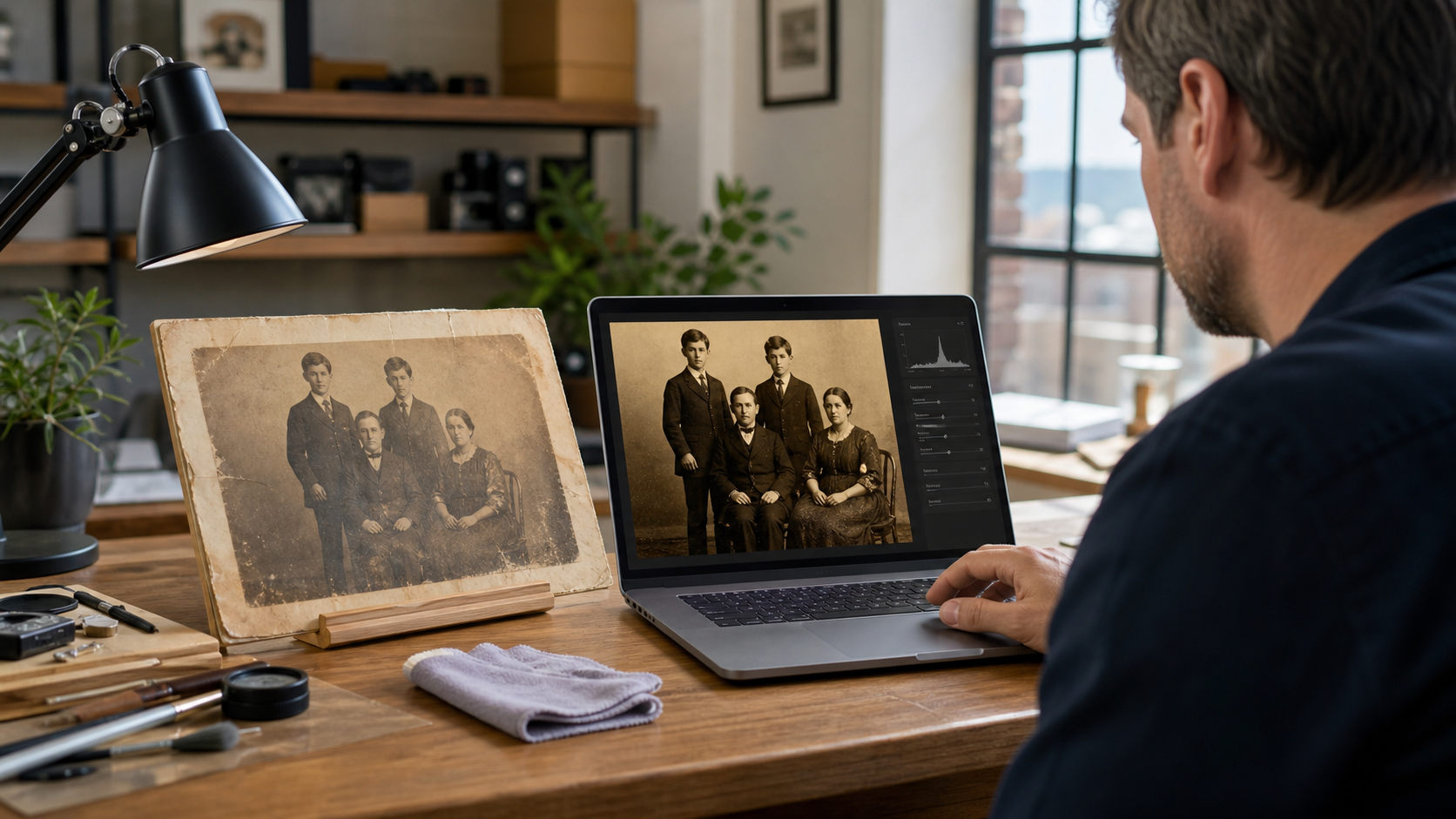
Sepia photo restoration online helps families, small-business owners, and creators repair old brown-toned photos without mailing fragile originals. A careful digital restoration can reduce fading, stains, scratches, and cracks while keeping the warm antique look that makes sepia prints special.
What Makes Sepia Photos Worth Restoring
Sepia photos have a soft brown tone that many people connect with family history, early portraits, wedding keepsakes, and local business archives. The color often feels warmer than black and white, which is why many owners want the image repaired without losing that vintage character.
Many sepia prints are also one-of-a-kind. Parents may have a single photo of grandparents. A small business may have an old storefront image used for an anniversary display. A creator may need a restored portrait for a book, video, website, or family history project.
Over time, sepia photos can develop common problems:
- Faded faces and clothing
- Yellow or brown stains
- Cracked paper
- Torn corners
- Silvering or glare
- Dust spots and scratches
- Uneven contrast
- Water damage
- Blurry details from age or poor scanning
Restoration does not turn every damaged photo into a perfect modern image. The goal is usually to make the photo clearer, cleaner, and easier to enjoy while respecting the original age and mood.
How Sepia Photo Restoration Online Works
Online restoration starts with a digital copy of the photo. The original print stays with its owner, which lowers the risk of loss or damage during shipping. A clear scan or well-lit photo is uploaded, reviewed, and repaired digitally.
A professional editor works on a copy of the image file. This means the original photo is not changed. The restored version can then be used for printing, framing, sharing, archiving, or adding to a family project.
A typical online sepia restoration may include:
-
Image cleanup
Dust, small scratches, spots, and surface marks are reduced. -
Tone correction
The sepia color is balanced so the photo keeps its warm look without appearing too muddy or washed out. -
Contrast repair
Faces, clothing, and background details are made easier to see. -
Damage repair
Tears, cracks, stains, and missing edges may be rebuilt where enough visual information exists. -
Detail enhancement
Important areas such as eyes, facial outlines, signs, and clothing texture may be refined. -
Final file preparation
The restored image is saved in a format suited for printing or digital use.
The best results usually come from a high-quality scan. A scan at 600 dpi is often useful for small vintage prints, especially when the final goal is a larger print. If only a phone photo is available, it should be sharp, glare-free, and taken straight-on.
Keeping the Original Sepia Look
One of the most important parts of sepia photo restoration online is knowing what not to change. A sepia image should not be made too sharp, too bright, or too modern unless that is the requested style.
The warm brown tone is part of the photo's identity. If it is removed or replaced with flat black and white, the image may lose its historic feel. A skilled editor works to improve the photo while keeping its period look intact.
There are usually three good style choices:
- True sepia restoration: Keeps the original brown tone and repairs damage.
- Clean black-and-white version: Converts the image while preserving classic contrast.
- Colorized version: Adds natural color based on research and visual clues.
Many families prefer a restored sepia version first. It looks close to the original, but cleaner. A colorized version can be created later if the family wants a more modern view.
What Can and Cannot Be Fixed
A good restoration can do a lot, but it still depends on the source image. If a face is lightly faded, contrast and detail work can often bring it back. If a face is fully missing, covered, or destroyed, an editor must rebuild it based on nearby clues, which may involve careful interpretation.
Common fixes include:
- Removing light scratches
- Reducing stains and spots
- Repairing torn corners
- Improving faded contrast
- Straightening a tilted photo
- Cropping damaged borders
- Rebuilding simple backgrounds
- Softening fold lines
- Preparing the file for reprinting
More difficult repairs include:
- Missing facial features
- Heavy water damage across faces
- Very low-resolution uploads
- Strong blur from camera movement
- Large missing sections
- Extreme glare on glossy prints
When the damage is severe, the restored photo may still show signs of age. That is not always a bad thing. Some light texture can make the final image feel real, not overly edited. The goal is to restore the photo enough to make it useful and beautiful — not to make promises the source image cannot support.
Best Uses for Restored Sepia Photos
Restored sepia photos are useful in many personal and business settings. A family may want to print a restored portrait for a memorial table, reunion wall, or keepsake album. Parents may want to preserve photos before the paper becomes more fragile.
Small-business owners often use historic photos for brand storytelling. A restored storefront, founder portrait, team image, or early product photo can work well on an "About" page, office wall, anniversary post, or local press kit.
Creators may use restored sepia images in:
- Family history books
- Documentary videos
- Podcast artwork
- Museum-style displays
- Social media stories
- Genealogy projects
- Wedding memory tables
- Local history blogs
- Church or school archives
A restored photo can also become a meaningful gift. It may be printed, framed, placed in a photo book, or shared with relatives who have never seen the image clearly.
How to Prepare a Sepia Photo for Online Restoration
A better starting file gives the editor more detail to work with. The original does not need to be perfect, but it should be captured as clearly as possible.
If using a scanner, the photo should be placed flat on the glass. The scanner lid should close fully if possible. A resolution of 600 dpi is a strong choice for many small prints, while 300 dpi may be enough for larger prints that will not be enlarged.
If using a phone, the photo should be placed on a flat surface near soft window light. Direct sunlight, flash, and overhead glare should be avoided. The camera should be held parallel to the photo, not at an angle.
A few simple steps help:
- Clean the scanner glass, not the photo surface.
- Do not press hard on brittle prints.
- Avoid filters or auto-enhance tools before uploading.
- Include the full photo, even damaged borders.
- Send the largest file size available.
- Share notes about people, dates, or important details.
It also helps to explain the desired final use. A file made for a small web image may not need the same setup as a large framed print. Clear goals help guide the restoration style and file size.
Choosing the Right Restoration Style
Not every sepia photo should be restored the same way. A formal portrait may need gentle retouching and balanced contrast. A damaged family snapshot may need more repair work so faces and clothing are clear.
A small-business archive photo may need a cleaner finish for marketing use. In that case, signs, windows, storefront lines, and people may need careful attention. A creator using the image in a video may want a version that looks clear on screens.
Before ordering restoration, owners should decide:
- Should the final image stay sepia?
- Should cracks and paper texture remain slightly visible?
- Is the goal printing, sharing, or publishing?
- Are there key faces or objects that matter most?
- Should the border be kept or removed?
- Is a natural vintage look preferred over a polished look?
These choices prevent over-editing. They also help the restored file match the final purpose.
Why Online Restoration Is Practical
Online restoration is useful because it saves time and protects fragile originals. Families do not have to package and ship delicate prints. Businesses and creators can upload files from anywhere and keep the project moving.
It also makes comparison easier. A restored file can be reviewed on screen, shared with family members, and approved before printing. If the photo will be used in several ways, different versions can often be prepared from the same restored master file.
For example, one sepia photo might become:
- A print-ready file for framing
- A cropped version for social media
- A web version for a company page
- A high-resolution archive copy
- A black-and-white alternate version
This flexibility is one reason sepia photo restoration online is a smart choice for old images that need both care and practical use.
Frequently Asked Questions
Q: What is sepia photo restoration online?
A: Sepia photo restoration online is the process of repairing a digital copy of an old brown-toned photo. The original print stays with the owner, while scratches, fading, stains, and damage are corrected in a restored digital file.
Q: Will the restored photo still look sepia?
A: Yes, if that is the chosen style. A careful restoration can keep the warm antique tone while improving clarity, contrast, and damage. The photo can also be converted to black and white or colorized if requested.
Q: Can a badly faded sepia photo be fixed?
A: Many faded sepia photos can be improved, especially when faces and shapes are still visible. Results depend on the quality of the scan or photo and how much detail remains in the original image.
Q: Is it better to scan or photograph an old sepia print?
A: A scan is usually best because it captures more detail and keeps the photo flat. A phone photo can still work if it is sharp, evenly lit, glare-free, and taken straight-on.
Q: Can torn or missing parts be repaired?
A: Small tears, cracked edges, and simple missing areas can often be rebuilt. Large missing areas, especially across faces, are harder and may require careful interpretation based on nearby details.
Q: What file type is best for restoration?
A: High-quality JPG, PNG, or TIFF files are commonly useful. The largest available file is usually better than a compressed image from a text message or social media upload.
Q: Can restored sepia photos be printed?
A: Yes. A restored file can be prepared for printing, framing, albums, or display. The best print size depends on the scan quality, original photo size, and amount of detail available.