Torn Photo Repair Online: Restore Damaged Pictures
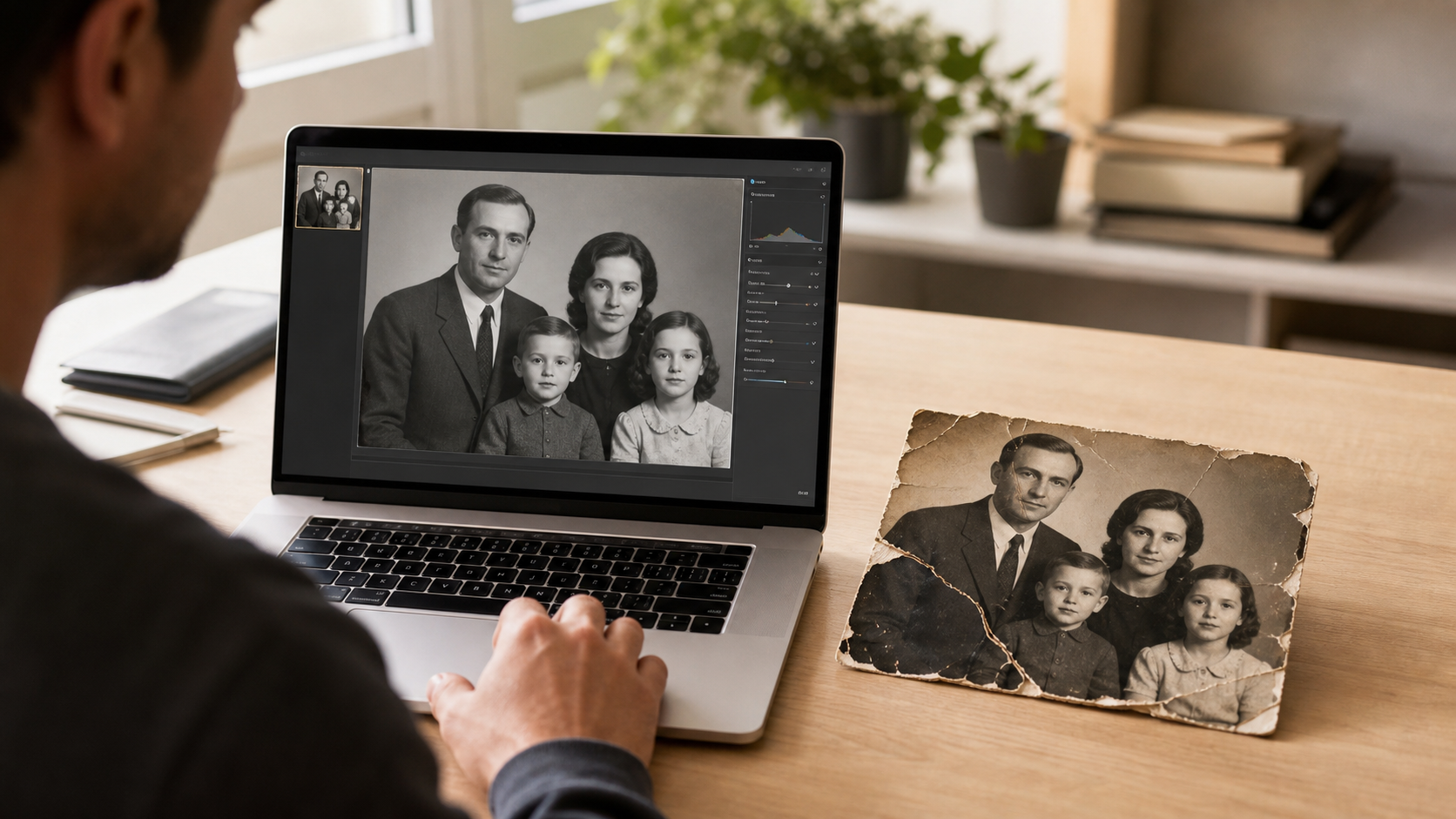
Torn photo repair online helps save damaged prints without mailing the original picture across the country. For parents, small-business owners, and creators, it can turn a split, creased, or missing photo into a clean digital image ready to share, print, or archive.
What Torn Photo Repair Online Means
Torn photo repair online is the process of fixing a damaged photo from a digital scan or image file. The original print stays with the owner, while a trained restoration editor works on the digital copy.
This service is often used for family portraits, school photos, wedding pictures, military images, product photos, and old business records. It is a practical option when a photo has sentimental, historic, or brand value.
A torn photo may have one large rip, several small tears, missing corners, tape marks, fold lines, or surface scratches. Digital repair focuses on rebuilding the visible image while keeping the final result natural.
Online repair is different from simply applying a filter. It may involve careful retouching, color correction, contrast repair, dust cleanup, and detail matching. The goal is to make the photo look complete without making it look fake.
Common Types of Torn Photos That Can Be Repaired
Many torn photos can be improved through digital restoration. The best results usually come from clear scans where the main faces, objects, or background details are still visible.
Common repair projects include:
- Photos split into two or more pieces
- Portraits with torn edges or corners
- Creases running through faces or clothing
- Tape stains or glue marks
- Missing background areas
- Scratches, dust, and spots
- Faded or yellowed prints
- Water-damaged photos with visible detail
Family photos are one of the most common projects. A parent may have a childhood photo that was folded in a box for years. A grandparent may have a wedding portrait with cracks across the surface.
Small-business owners may need older photos for an anniversary campaign, a founder story, or a local history page. Creators may need restored photos for books, documentaries, social posts, or memorial videos.
Some photos cannot be fully rebuilt if key details are missing. For example, if half of a face is gone and no matching reference photo exists, an editor may need to make careful visual choices. A responsible service should avoid promising exact recovery when the original detail is not present.
How the Online Repair Process Works
The process starts with a digital file. The customer scans the torn photo or takes a clear, well-lit picture of it. A higher-quality scan usually gives the editor more detail to work with.
After the image is uploaded, the restoration team reviews the damage. They may look at tear lines, missing pieces, color fading, stains, and sharpness. If the file is too small or blurry, they may ask for a better scan.
The editor then repairs the photo digitally. This can include joining torn sections, rebuilding small missing areas, cleaning dust, smoothing creases, and restoring tone. For color photos, the editor may also adjust fading or color shifts.
The final image is usually delivered as a digital file. Depending on the project, it may be prepared for printing, framing, web use, social media, or long-term storage.
A simple repair may focus only on the torn area. A more detailed restoration may include full cleanup, color correction, sharpening, and print preparation. More complex photos can take more time because every repair needs to match the surrounding detail.
How to Prepare a Torn Photo for Best Results
Good file preparation can make a major difference. A clear scan gives the editor more texture, shape, and detail to work with.
If the photo is in pieces, the pieces should be scanned together if possible. They should be placed as close to their original position as they can be, without forcing the paper flat if it may crack or break.
Helpful scanning tips include:
- Scan at 300 DPI or higher when possible
- Use 600 DPI for small or detailed photos
- Save as JPG, PNG, or TIFF if available
- Keep the scanner glass clean
- Avoid using a flash if taking a phone photo
- Place the photo on a flat, plain surface
- Capture the full image, including torn edges
If the photo is fragile, it should be handled gently. Heavy tape, glue, or pressure can cause more damage. The physical photo does not need to be repaired by hand before digital restoration.
A phone photo can work for some projects, but it should be sharp and evenly lit. Shadows, glare, and angled shots can make the repair harder. A scan is usually better for old or detailed prints.
If there are other photos of the same person, place, outfit, or event, those reference images may help. They can guide facial detail, background repair, or missing clothing patterns.
What Makes a Repair Look Natural
A strong repair should feel like the photo was always whole. It should not draw attention to the edited areas.
Natural repair depends on matching texture, grain, lighting, and focus. Older prints often have soft detail and visible paper texture. If one repaired area looks too smooth, it may stand out.
Faces need special care. A small tear across a cheek or eye must be repaired with subtle detail. Heavy smoothing can make the person look different, which is not the goal for family or memorial images.
Backgrounds also matter. A wall, tree, sofa, or studio backdrop should be rebuilt in a way that fits the rest of the picture. Repeating patterns or copied areas can look unnatural if not blended well.
Color correction should also be balanced. Some old photos should still look old, just cleaner and more complete. A repair does not always need bright modern colors to be successful.
When Torn Photo Repair Is Worth It
Torn photo repair online is often worth it when the photo cannot be replaced. This includes family memories, historic records, old portraits, and important business images.
Parents may use the service to save baby photos, graduation pictures, or images for a family album. A restored photo can be shared with relatives without risking the original print.
Small businesses may restore old storefront photos, founder portraits, staff images, or newspaper clippings. These images can support brand history, website content, office displays, and anniversary campaigns.
Creators may need restored images for videos, tribute posts, books, podcasts, or digital archives. A repaired photo can make a project feel more polished and respectful.
The value is not always about the paper print. It is often about the story behind the image. If the photo helps preserve a person, place, product, or event, repair can be a practical investment.
What to Expect From the Final File
The final restored photo is usually delivered as a digital image. It may be sized for printing, online sharing, or both.
A print-ready file should have enough resolution for the desired print size. A small original photo may not support a very large print unless the image quality is strong. Upscaling can help in some cases, but it cannot replace detail that was never captured.
Customers should expect the repaired version to look cleaner and more complete. They should not expect impossible detail if large parts of the photo are missing. Honest expectations lead to better results.
A good final file may include:
- Repaired tears and cracks
- Cleaner edges
- Reduced stains and dust
- Better contrast
- Improved color balance
- A version ready for print or sharing
Some projects may benefit from keeping two versions: one that stays close to the original and one that is more polished. This can be helpful for families who want an archive copy and a display copy.
Choosing an Online Photo Repair Service
A good online restoration service should explain what can and cannot be fixed. Clear communication is important, especially with badly torn or missing sections.
Customers should look for a service that reviews the image before setting expectations. The editor should be able to explain whether the repair is simple, moderate, or complex.
Helpful signs include:
- Clear upload instructions
- Examples of similar repairs
- Practical turnaround details
- Print-size guidance
- A review or proofing step
- Honest limits on missing details
The cheapest option is not always the best choice for a meaningful photo. Torn images often require careful hand editing, especially when faces or historic details are involved.
Professional Image Works recommends treating important photos with care from the start. The better the scan and the clearer the goal, the better the repair process can be.
Frequently Asked Questions
Q: Can a torn photo be repaired online?
A: Yes. A torn photo can often be repaired online by working from a digital scan or clear photo of the original print. The physical photo stays with the owner while the digital version is restored.
Q: What file type is best for torn photo repair online?
A: JPG, PNG, and TIFF files are commonly used. A high-resolution scan is usually best, especially at 300 DPI or 600 DPI when available.
Q: Can missing parts of a photo be restored?
A: Small missing areas can often be rebuilt by matching nearby detail. Large missing areas may require careful visual reconstruction, and exact recovery is not always possible.
Q: Should torn photo pieces be taped together before scanning?
A: It is usually better not to add new tape or glue. The pieces can be placed close together on the scanner, and the digital repair can join them without adding more physical damage.
Q: Can old faded photos be fixed at the same time?
A: Yes, many torn photo repairs also include fading correction, contrast improvement, dust cleanup, and color balancing when needed.
Q: Is a phone picture good enough for repair?
A: A phone picture may work if it is sharp, bright, and taken straight on. A scanner is usually better because it captures more detail and avoids glare or angle distortion.